The prompt to build your app with AI
AI app builders follow your instructions to the letter. A well-structured prompt saves hours of fixes: it says what to build, in what order, and what not to do.
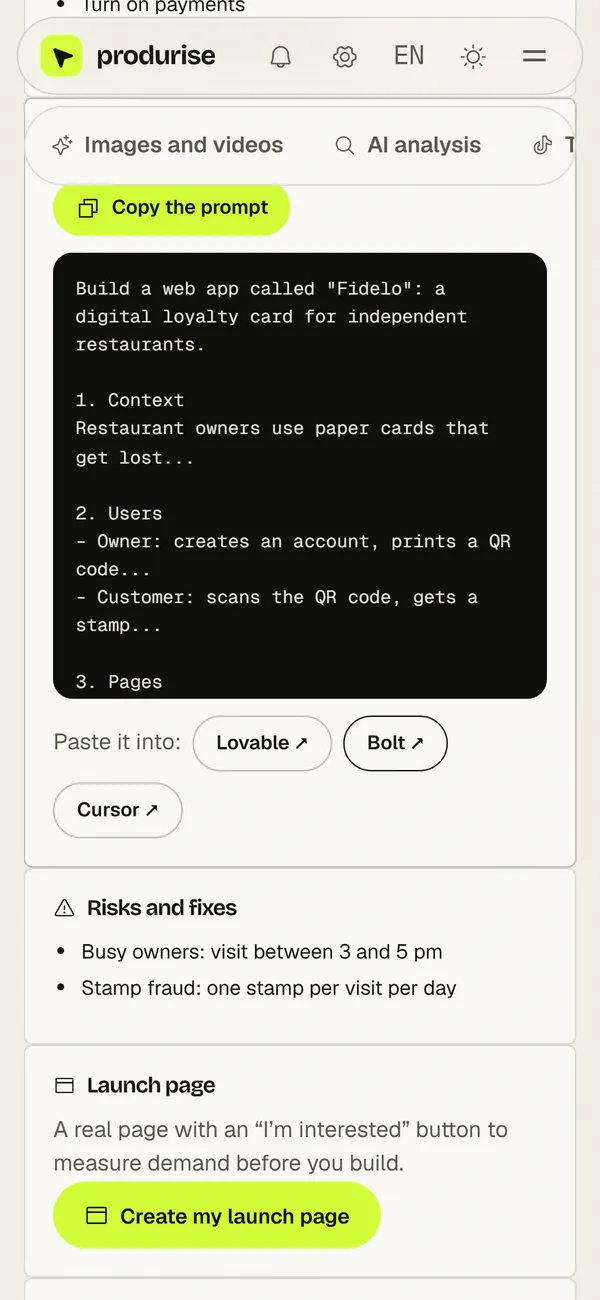
The structure of a good prompt
- Context: the problem, who it is for, the expected result.
- Pages: the list of screens and what each one does.
- Data: what is stored and how items relate.
- Journey: from sign-up to the main action, step by step.
- Design: style, colours, tone of the copy.
- Out of scope: what waits for version 2.
Build in steps
Ask for the structure and one page first, check, then add the rest. The produrise copilot’s prompt is numbered in that order, so the tool moves step by step.
A prompt written for your project
The copilot writes the prompt from your plan (audience, offer, MVP), ready to copy. Ideas are free (2 searches a day), with a blurred preview of the project. The full journey (plan, real competitors, prompt, launch page, chat) is included in the Launch Kit at €11.99 one-off (3 projects) and in the AI Lab plans: Creator €9.99/month, Growth €19.99/month, Studio €39.99/month.
Frequently asked questions
Which tool: Lovable, Bolt or Cursor?
Lovable and Bolt build and host the app in the browser, nothing to install: handy to start. Cursor is an AI code editor, better if you want control over the code.
Does the prompt work in other languages?
Yes. The tools understand many languages; English is sometimes slightly more precise for technical terms.
What if the result is not good?
Fix one thing at a time with a precise instruction (“on page X, add Y”) rather than asking for everything again.