Transform a photo with AI, no editing software
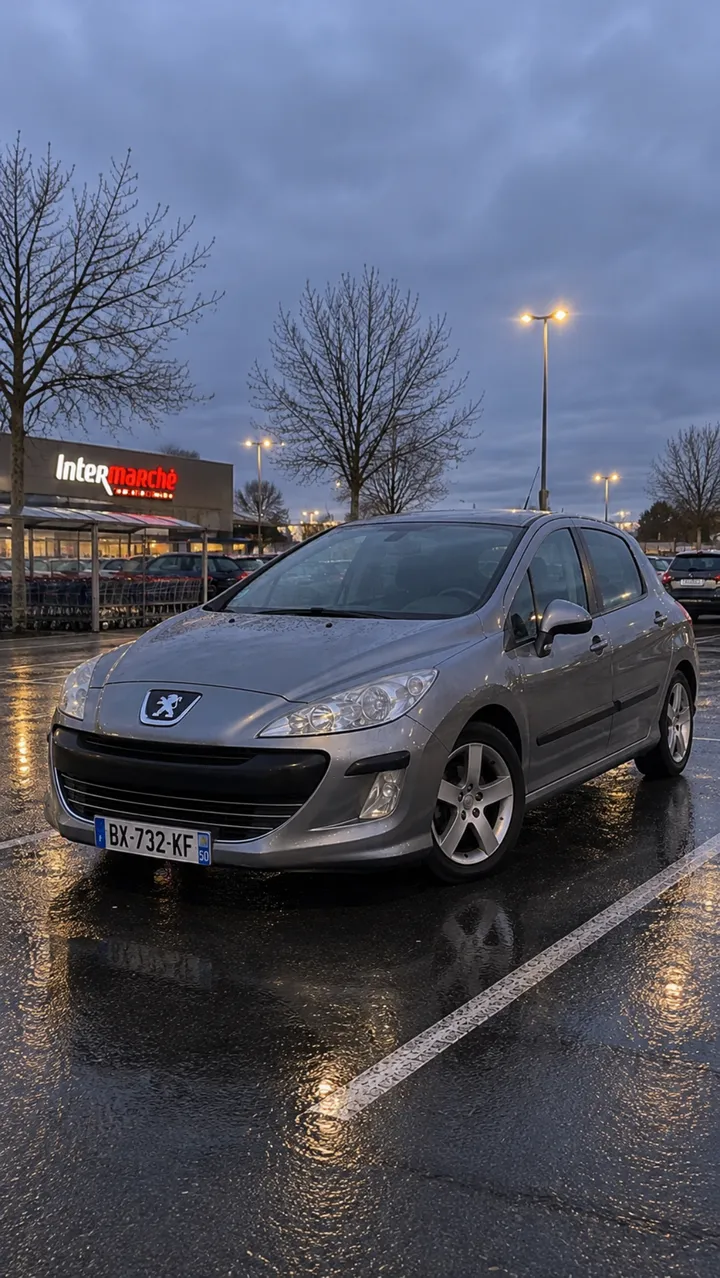
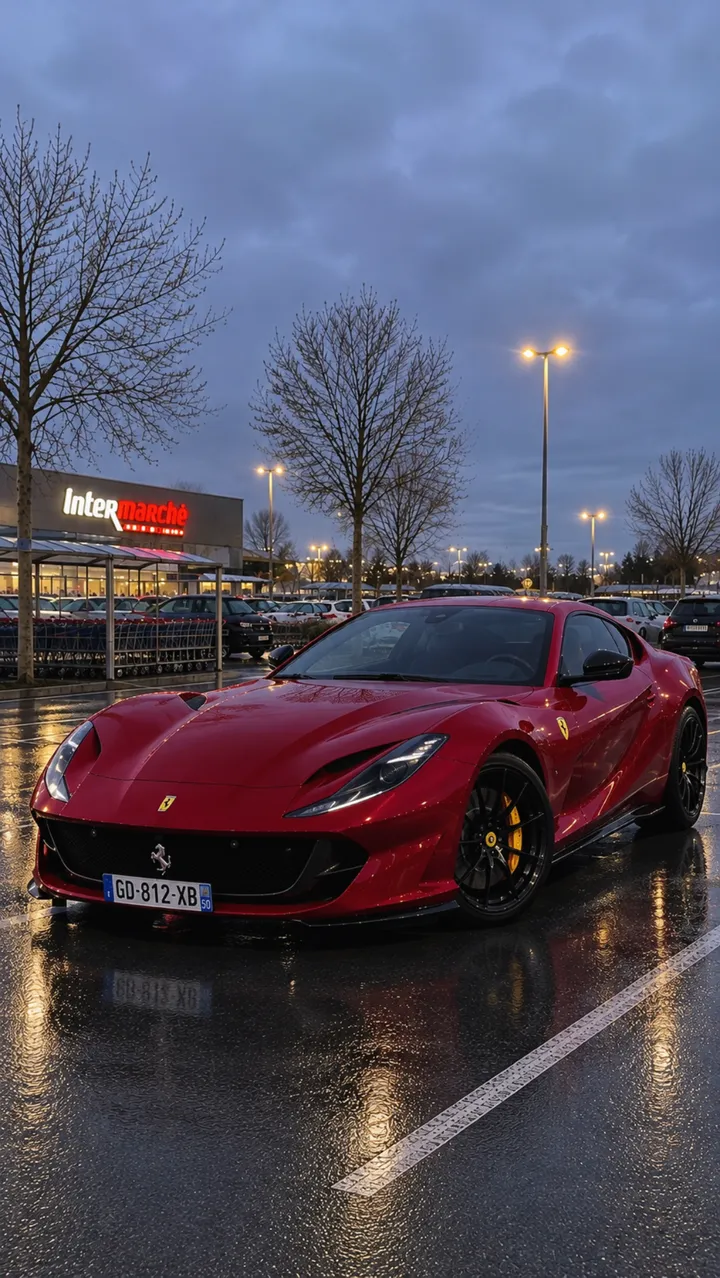
Send your photo and say what should change. The AI keeps the scene, light and reflections, and replaces only what you ask: a car, a setting, a season.
What you can create
- Swap one object for another in the same scene.
- Change the season: snow, autumn, high summer.
- Change the time: sunset, night, morning light.
- Change the style: realistic photo, illustration, 3D render.
Examples of requests to copy
Write your request in plain language. Adapt these examples to your product:
Replace the grey car with a red sports car, keep the car park, the rain and the reflections.
Same street, but in the snow, with Christmas lights in the windows.
Turn this daytime photo into a night photo, with the street lights on.
Keep the person, replace the background with a beach at sunset.
How it works
- Open the AI Lab Studio and pick Image or Video.
- Add your photo if you have one, then describe the result you want in one sentence.
- Pick the format (square, 4:5 portrait, 9:16 story…), create, then download.
Tips for a better result
- A short, precise request works better: one change at a time.
- Name what must stay the same (“keep the car park and the rain”) to avoid surprises.
- Do not transform a photo to mislead: an ad must show what you really sell.
Price
Creating requires an AI Lab plan, with no commitment: Creator €9.99/month (800 credits), Growth €19.99/month (2,500 credits), Studio €39.99/month (6,000 credits). Or the Launch kit at €6.99 once (350 credits). An image costs 5 credits; a video costs credits per second, and the cost is shown before each creation.
Frequently asked questions
Do I need editing skills?
No. You write your request in plain language and the AI makes the change.
Can I transform a photo of someone?
Only with their consent. Never use a person’s image to make them say or do something they did not.